Stay focused on the objectives that matter. Simply.
The OKR app for people who want to stay focused. Calm, beautiful, on your Mac.
Launch price: €29, then €59 · one-time purchase
- Clarity at a glance
- A few minutes a week
- Paid once, no subscription
What matters now, and nothing else.
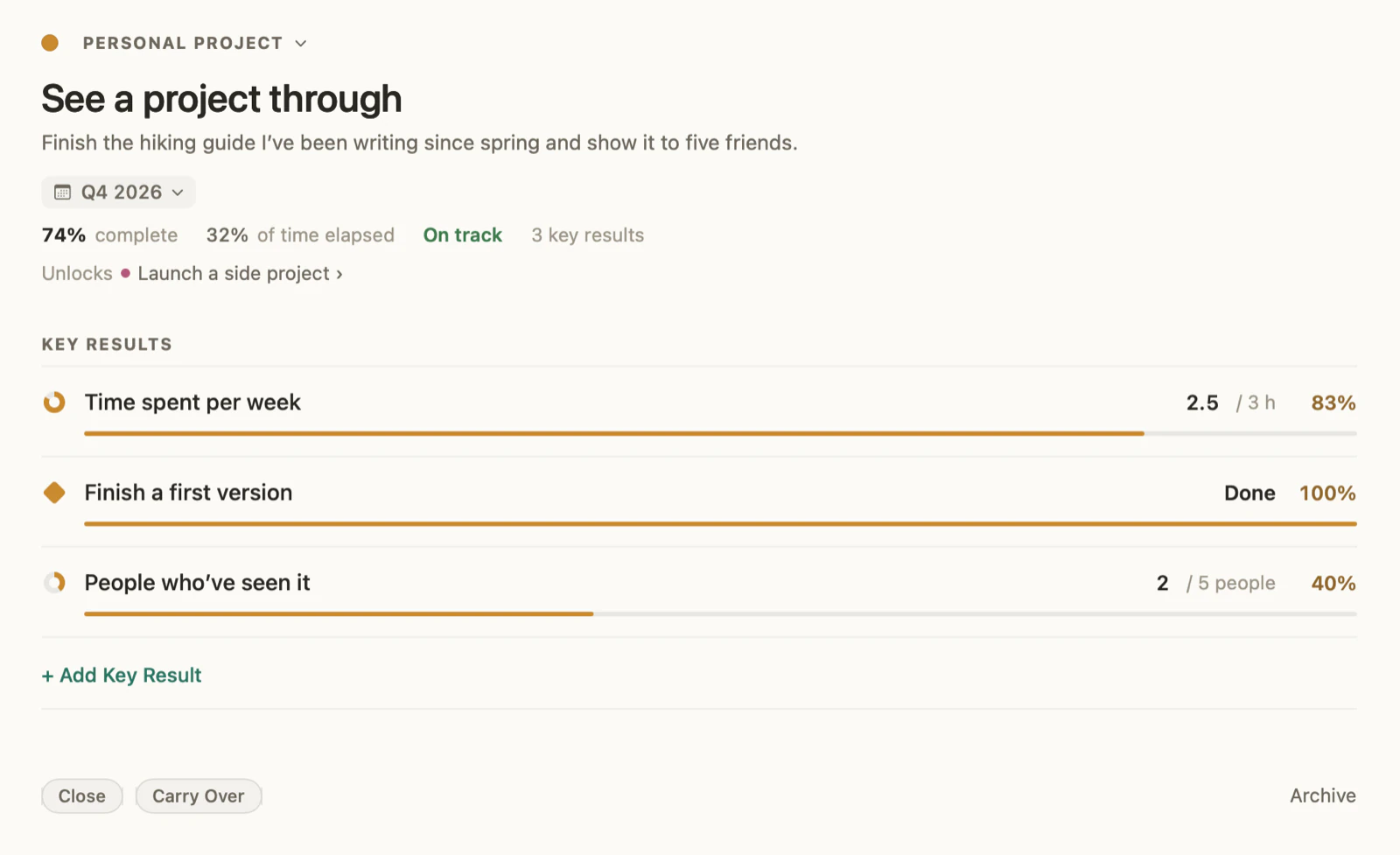
An objective lives inside a cycle: three months by default, or 1, 2, 4, or 6 months, or a year. It ends when its cycle ends. File it under an area of your life, such as Health, Work, Finances, or Family.
- One page per objective, its key results underneath, its progress set against the time elapsed in the cycle.
- Areas group your objectives in the sidebar, like parts of your life.
- When the cycle ends, two choices: close it where it stands, or carry it over to the next one.
Numbers, not guesswork.
A key result is a number or a percentage, with a start, a target, and today’s value, or a milestone you check off. okrly works out the progress for you, and an objective you haven’t measured yet reads “Not measured yet,” never “Behind.”
- Update a value in one click, right on the row.
- Targets can go down, too: from 20 blockers to 0.
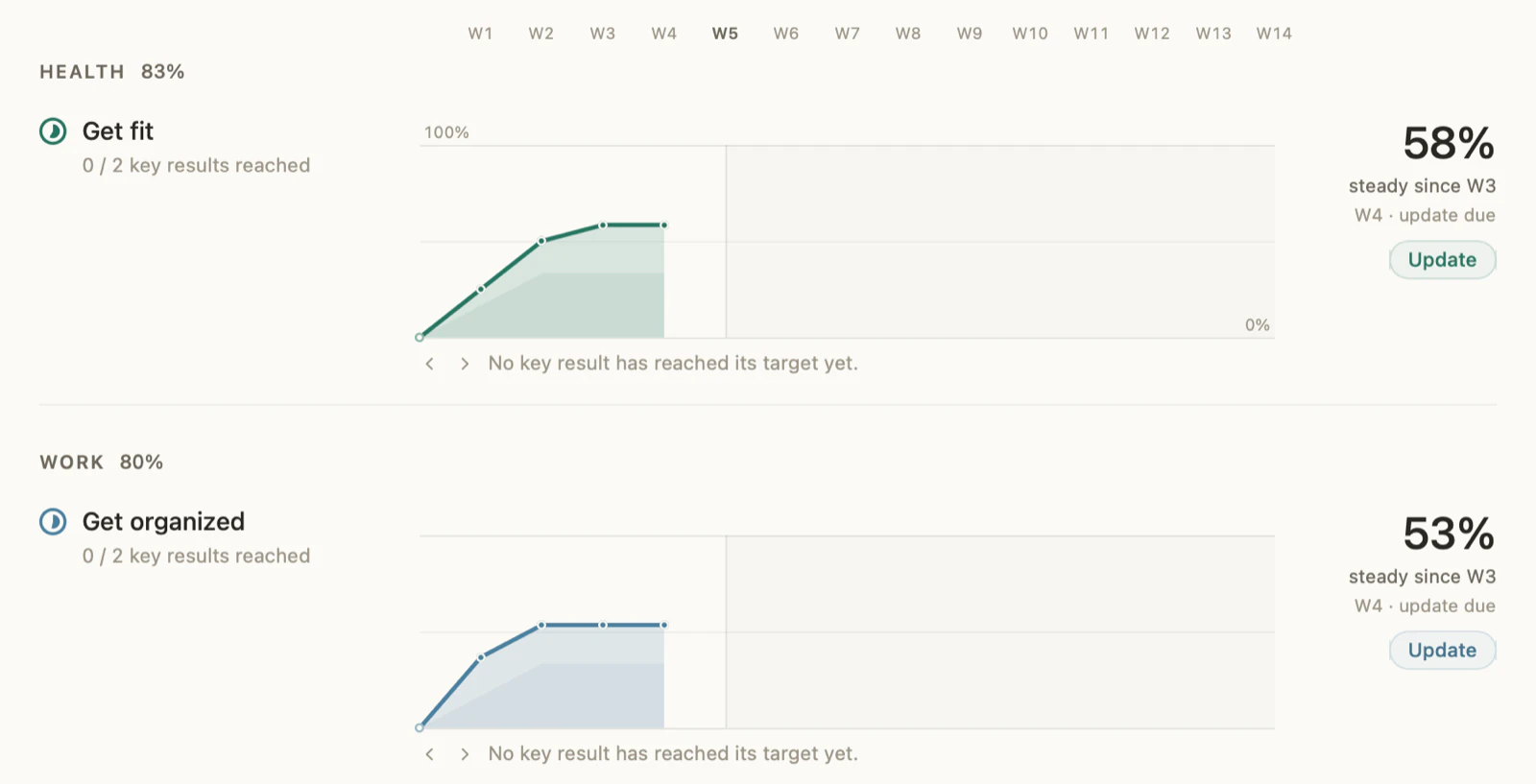
- Each update counts as the period’s review and extends the objective’s curve on the Objectives page.
REVIEWS
A regular check-in with your numbers.
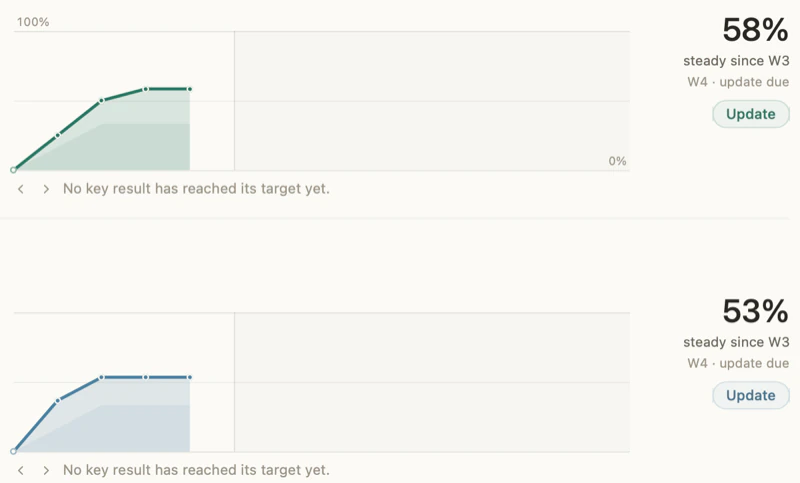
Every week on the day you choose, every two weeks, or every month, a review records where your key results stand. Each objective’s curve builds up review after review, its key results stacked in layers.
- A diamond marks the week a key result reached its target.
- A review can be dated in the past to fill in a week you skipped.
- A quiet reminder on review day, if you want one.
Your story, drawn as a tree.
The trunk is your vision; each area branches off from it. Every objective you’ve closed or carried over grows a twig, with a leaf for each key result reached. At the tip, objectives in progress open as dotted sprouts.
What comes next, cycle after cycle.
Plan objectives for the cycles ahead now: they wait their turn without counting in today’s score. When one depends on another, drag an arrow from one card to the other.
- Drag a card from one cycle to another, or from one area to another.
- A chained objective waits for the one it follows; once that one is reached, you can start it early.
- Carry over the first objective of a chain: only the objectives chained to it move along; nothing else does.
Everything you need to stay focused. Paid once.
- The full app: Home, Vision, Objectives, Timeline (This cycle and Trajectory), and Achievements.
- The Footprint widget, in three sizes: your progress at a glance, without opening the app.
- Updates arrive through the Mac App Store. No subscription, no in-app purchase.
- No account to create: your data stays on your Mac.
- English and French.
macOS 14 or later · Prices in euros, VAT included; the App Store shows the price in your local currency.